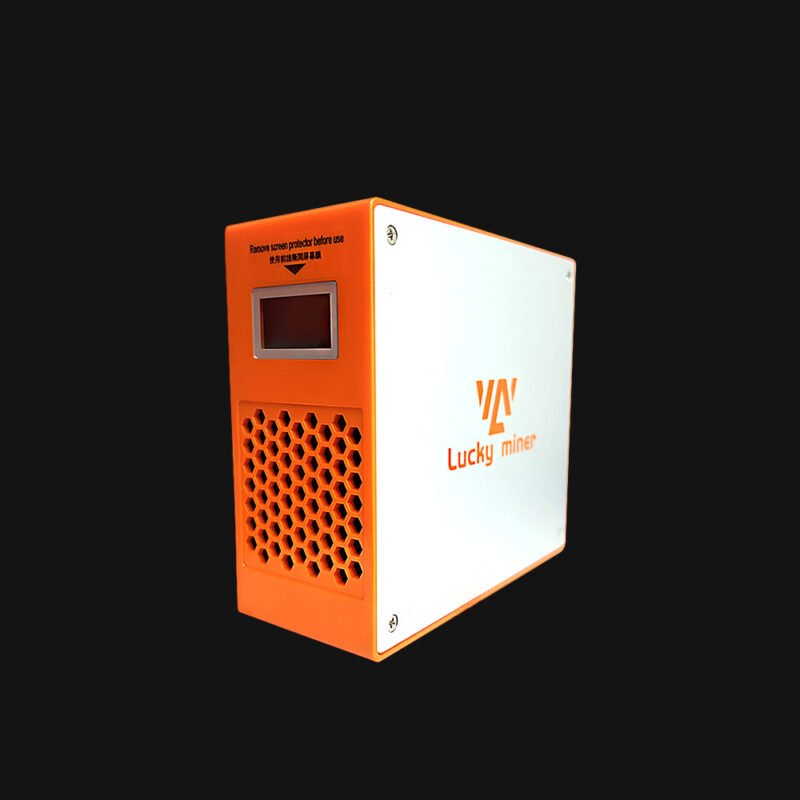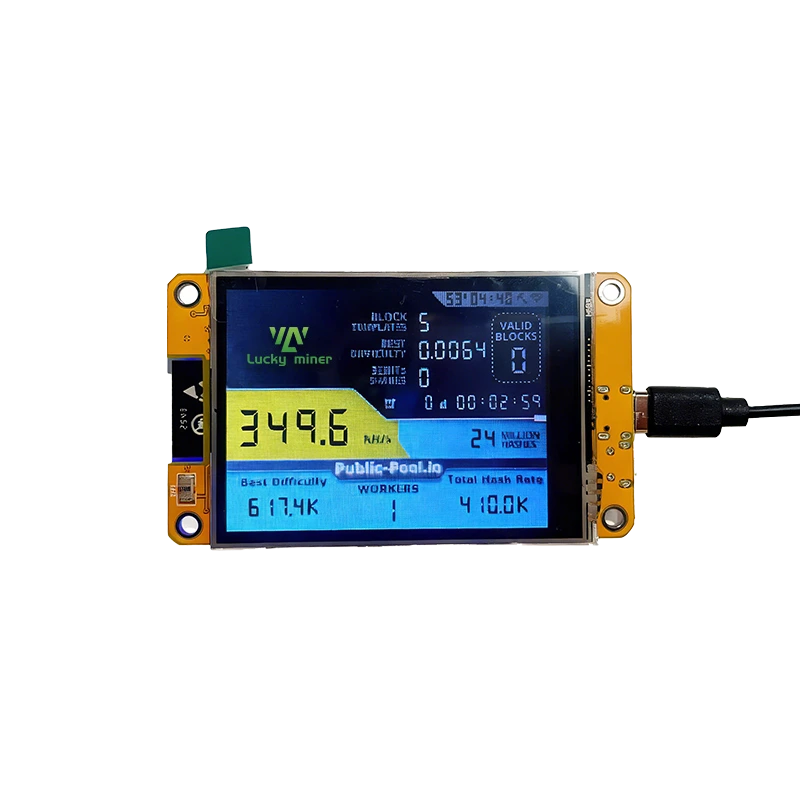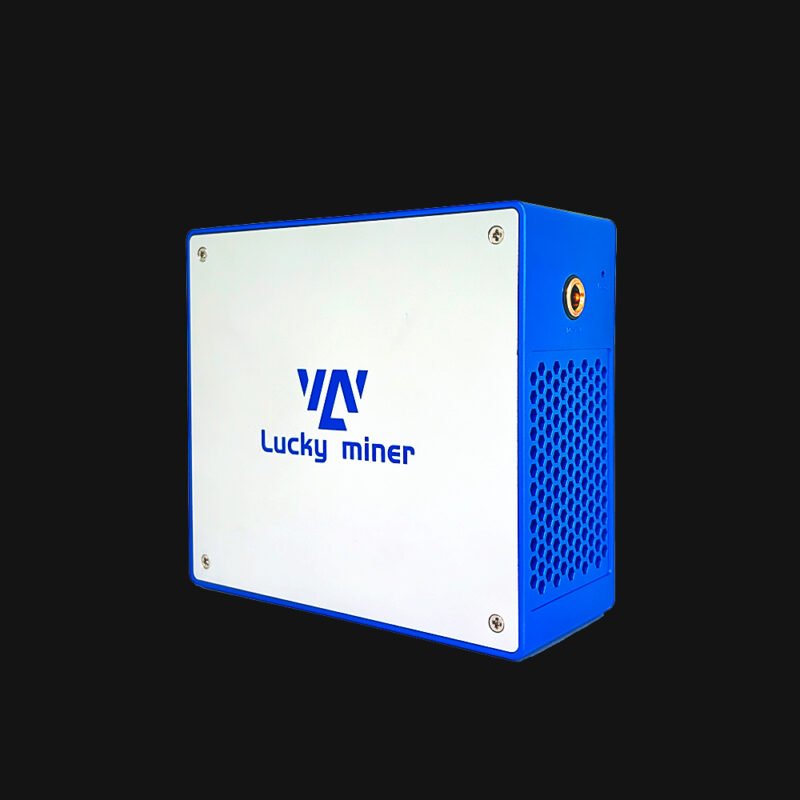
Magicminer-WM02-1
Magicminer WM02 Original price was: $442.00.Current price is: $369.00.
Back to products
Lucky Miner LV07pro
Lucky Miner LV07pro Original price was: $210.00.Current price is: $179.00.

Lucky Miner LV08pro

(2 customer reviews)

Original price was: $416.00.Current price is: $349.00.

The Lucky Miner LV08 Pro (New arrival) is a compact and energy-efficient SHA256 miner delivering 7 TH/s (±5%) hash rate with only 150W (±10%) power consumption.

It supports Bitcoin, BCH, and BSV with multiple mining modes including SOLO, PPLNS, PPS, and P2P. With WiFi 2.4G connectivity, quiet operation at just 38 dBA, and plug-and-play setup, it is perfect for home mining.

SKU: LYLV08PR Category: Tag:
Description

Luckyminer-LV08-Pro-spec_01 Luckyminer-LV08-Pro-spec_02 Luckyminer-LV08-Pro-spec_03 Luckyminer-LV08-Pro-spec_04 Luckyminer-LV08-Pro-spec_05


Powerful. Quiet. Plug & Mine.

Start mining Bitcoin at home with the Luckyminer LV08 Pro, a compact and energy-efficient SHA256 miner delivering 7 TH/s hash rate with only 150W power consumption.
Designed for beginners and hobby miners, LV08 Pro makes crypto mining simple, quiet, and accessible. The LuckyMiner LV08 Pro is the ideal home mining solution for Bitcoin, BCH, and BSV.


Why Choose LV08 Pro?

Mining Shouldn’t Be Complicated

Traditional mining machines are often expensive, noisy, and difficult to set up. Many users struggle with:

  •  Large industrial miners that are too loud for home use

  •  High electricity consumption

  •  Complex setup and configuration

  •  Expensive entry costs for beginners

The LV08 Pro solves these problems by offering a compact, low-power, and easy-to-use mining solution designed specifically for home miners and crypto enthusiasts.


Key Features

7 TH/s Stable Hashrate

Powered by a SHA256 mining algorithm, the LV08 Pro delivers 7 TH/s ±5% hash rate, allowing you to mine major cryptocurrencies such as:

  • Bitcoin (BTC)

  • Bitcoin Cash (BCH)

  • Bitcoin SV (BSV)

Stable performance ensures consistent mining output.


Ultra-Low Power Consumption

Unlike traditional mining rigs that consume massive electricity, the LV08 Pro only requires:

150W ±10% power consumption

This makes it energy-efficient and suitable for home environments, reducing electricity costs while maintaining reliable performance.


Quiet Home Mining

Noise is one of the biggest problems with mining machines.

The LV08 Pro is designed with optimized cooling and airflow, producing only:

38 dBA noise level

That’s about the same as a quiet room, making it ideal for:

  • Home offices

  • Apartments

  • Personal mining setups


Plug & Play Setup

No complicated configuration required.

Simply:

  •  Connect the power supply
  •  Connect to WiFi (2.4G) or hotspot
  •  Choose your mining pool
  •  Start mining

Even beginners can start mining in minutes.


WiFi Connectivity

The LV08 Pro supports WiFi 2.4G network connection, allowing flexible placement without complicated wiring.

You can easily manage and connect the device through your local network.


Compact & Lightweight Design

Unlike bulky industrial miners, LV08 Pro is designed to be compact and space-efficient.

Device Size

208 × 148 × 68 mm

Net Weight

1.1 kg

Perfect for desks, shelves, or small mining setups.


Optimized for Home Mining

The LV08 Pro is designed to operate reliably in everyday environments.

Recommended conditions:

  • Operating temperature: 0–30°C

  • Humidity: 10%–90% RH

  • Altitude: 2000m

Proper ventilation ensures stable long-term performance.


Flexible Mining Modes

LV08 Pro supports multiple mining mechanisms depending on your mining strategy.

SOLO Mining

Mine independently and receive full block rewards when a block is discovered.

PPLNS Mining

Rewards are distributed based on the number of valid shares submitted.

PPS Mining

Receive consistent payouts based on shares contributed.

P2P Mining

Connect directly to other blockchain nodes without relying on centralized pools.


Mine Popular SHA256 Coins

The LV08 Pro supports mining several SHA256 cryptocurrencies, including:

  • Bitcoin (BTC)

  • Bitcoin Cash (BCH)

  • Bitcoin SV (BSV)

Compatible with multiple mining pools.


Built for Long-Term Stability

The device includes optimized frequency and voltage settings to ensure stable operation.

Recommended configuration:

  • Frequency: 575 MHz

  • Core Voltage: 1300 mV

These settings help maintain the balance between performance and power efficiency.


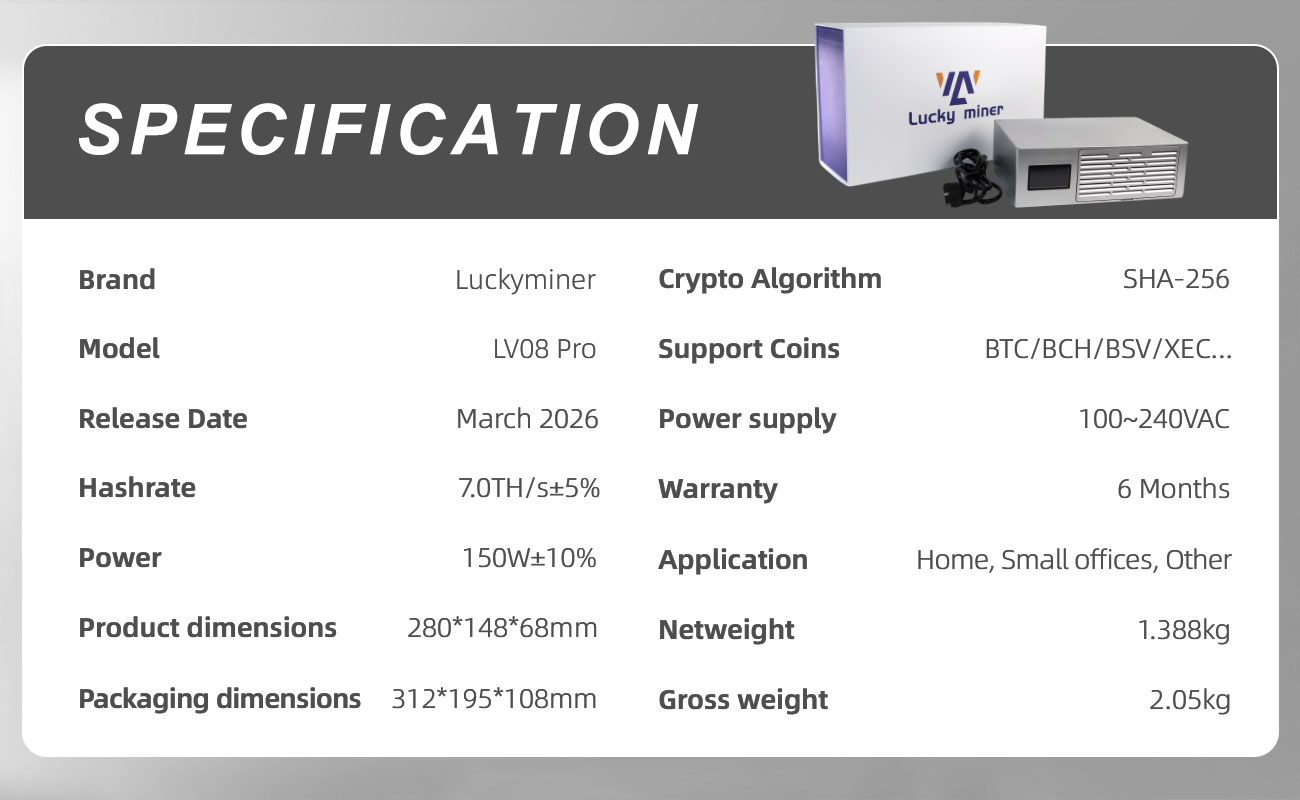
Specifications

Specification Details
Model LV08 Pro
Algorithm SHA256
Hashrate 7 TH/s ±5%
Power Consumption 150W ±10%
Power Input 100–240V AC
Frequency 50/60 Hz
Network WiFi 2.4G / Hotspot
Noise Level 38 dBA
Operating Temperature 0–30°C
Device Size 208 × 148 × 68 mm
Net Weight 1.1 kg

What’s in the Box

  • LV08 Pro Miner

  • Power Supply

  • User Manual

  • Packaging Box


Who Is LV08 Pro For?

LV08 Pro is perfect for:

Crypto beginners
Home mining enthusiasts
Small-scale miners
Bitcoin hobbyists
Learning and experimenting with mining


Start Mining Today

The Luckyminer LV08 Pro makes Bitcoin mining accessible, quiet, and energy-efficient.

Whether you’re entering crypto mining for the first time or adding a compact miner to your setup, the LV08 Pro delivers reliable performance in a small and efficient package.

Start your mining journey today.

Specifications
Brand Lucky miner
Model LV08 pro
Chipset BM1368 *9
Release Date Mar,2026
Crypto Algorithm SHA-256
Hashrate 7TH/s±5%
Support Coins BTC / BCH /CSV / XEC/ DGB / FB …
Power 150W±10%
Power Input 100~240V AC
Networking Connection Mode WiFi 2.4G/Hotspot
Noise level ≤40dB
Working Voltage 12V
Control Mode Web-based control
Operating Temperature 0-30°C [or 32-86°F]
Fan(s) 2
Product Dimensions 208*148*68mm
Package Dimensions 312*195*108mm
Net Weight 1.1Kg
Gross Weight 1.5Kg
Warranty 6 Months
Application Home / Office
Additional information
Weight1.5 kg
Dimensions25 × 24 × 9.5 cm
Power Supply StandardAU Plug, BR Plug, EU Plug, UK Plug, US Plug
FAQ
LV / LG Series (Scrypt & SHA256 Miners) – Full Specifications & Operation LV02 · LV03 · LV06 · LV07 · LV07 Pro · LV08 · LV08 Pro · LG07 · LG07 Pro
+
Core Technical Specifications
What are the hashrate, power consumption and algorithm for each model?
LV02: 250KH/s (SHA256) 1W; LV03: 250KH/s (SHA256) 1W; LV06: 500GH/s ±10% / 15W; LV07: 1000GH/s ±10% / 25W; LV07 Pro: 3TH/s ±10% / 50W; LV08: 4200GH/s ±10% / 120W; LV08 Pro: 7TH/s ±5% / 150W; LG07: 11MH/s ±10% (Scrypt) / 12W; LG07 Pro: 120MH/s ±10% (Scrypt) / 30W. All devices require AC 100-240V input and use ASIC chips.
Power adapter and ventilation requirements for LG07 Pro
Only use the supplied 12V/5A power adapter. Third-party adapters may cause device damage or fire hazard. Maintain at least 10cm clearance around the miner, never stack units or operate inside closed cabinets – blocked airflow leads to overheating and permanent failure.
Activation & Licensing (Applicable Models)
What message appears when the device is not activated?
When unactivated, the web interface shows 'License verification failed [Device ID]'. A valid license must be obtained to start mining.
How to complete device activation?
Contact official customer support with your order number to obtain an activation code. Enter the activation code in the license portal, then click 'Get License Code'. After automatic verification, click 'Activate the device'. The message 'License activated successfully' confirms activation. Then configure and restart the device.
What to do after successful activation?
After activation, use 'Configure device' to write mining pool and network settings, then reboot. Once the device enters the hashrate dashboard, flashing and configuration are complete.
WiFi & Network Troubleshooting
Cannot find Lucky_**** hotspot or unable to connect
The miner supports only 2.4GHz WiFi (5GHz not supported). WiFi SSID and password must NOT contain special characters (only alphanumeric). Power cycle router and miner, verify external antenna is firmly attached. Test with a 2.4GHz mobile hotspot. If the issue persists, inspect internal WiFi antenna connector.
WiFi connected but hashrate stays zero
Double-check Stratum URL and port; different ports correspond to different difficulty levels. Ensure device hashrate meets pool minimum difficulty (experience: 500G can connect to pools with difficulty <1000). Use mainnet wallet address (BTC address starting with 1/3/bc1). Some pools require a registered username as miner ID.
Miner restarts repeatedly or has extremely low hashrate
Usually caused by unstable WiFi or blocked mining pool. Switch to a stable hotspot or reduce interference. Adjust frequency/voltage to recommended ranges, keep operating temperature below 30°C. If problem persists, provide SN and logs to support.
Recommended Frequency & Core Voltage
LG07 / LG07 Pro tuning limits
LG07: Frequency ≤ 600 MHz, when power >30W gradually reduce frequency; Core voltage ≤ 650 mV. LG07 Pro: Frequency ≤ 2400 MHz, when power >40W reduce frequency/voltage; Core voltage ≤ 1300 mV.
LV06 / LV07 / LV08 series safe parameters
LV06/LV07: Frequency ≤ 575 MHz, reduce when power >17W(LV06) or >28W(LV07); Core voltage ≤ 1300 mV. LV07 Pro: ≤750 MHz, >58W reduce; Core voltage ≤2300 mV. LV08 / LV08 Pro: ≤575 MHz, reduce when power >130W, voltage ≤1300mV. Exceeding thresholds may cause thermal shutdown.
Mining Pools & Mineable Projects
Which coins can LG07 / LG07 Pro mine?
All Scrypt-based projects (LTC, DOGE, BELLS, PEP, LKY, DGB, etc.). Recommended pools: ltc.viabtc.io:3333, ltc.zsolo.bid:4057, ltc.luckymonster.pro:4112, sg.pmpmining.com:5057. Full list: https://miningpoolstats.stream/litecoin – regional restrictions may apply.
SHA256 series (LV06/07/08) mineable coins & example pools
BTC, BCH, BSV, DGB, XEC, RBL, BTCP, BIT, AUR, WCN, PPC, RVB, ACG, LCC, GLT, X1C. Reference pools: pool.vkbit.com:3333, public-pool.io:21496, btc.viabtc.io:3333, pool4ever.com. Check https://miningpoolstats.stream/bitcoin for updated ports.
WM02 Pro Smart Thermostatic Cup Mat (with Auxiliary Scrypt Mining)WM02 Pro
+
Features & Technical Specifications
What is the WM02 Pro and its mining capability?
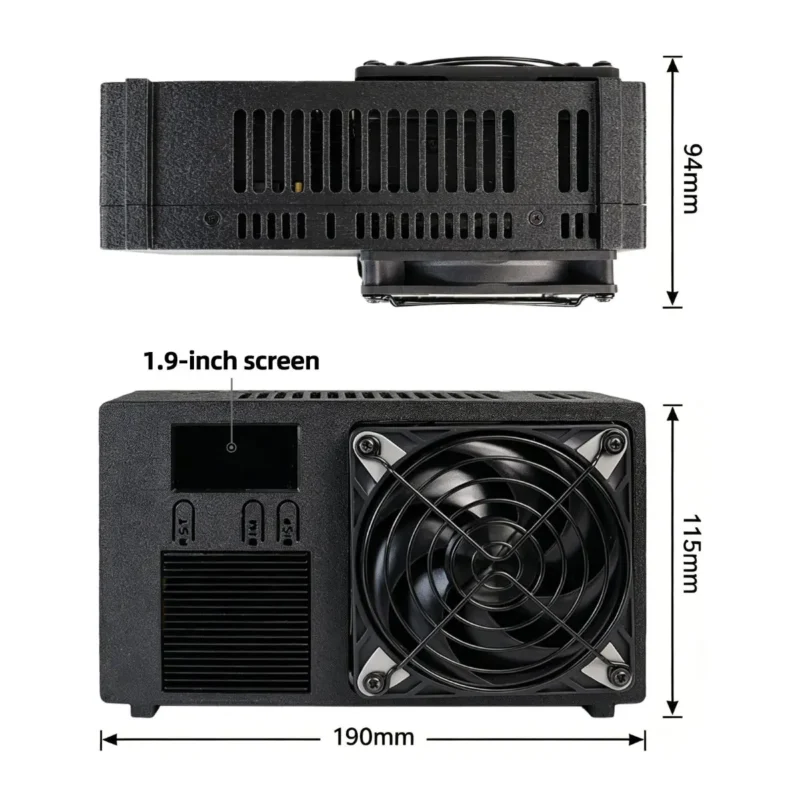
Smart cup mat designed for desk/home use (constant temperature, no boiling). Auxiliary Scrypt mining: 550 MH/s ±10%. Input AC 110-240V~50/60Hz, power 140W±10%. 5 heating levels, 1.9-inch LED display, compatible with flat-bottom ceramic/glass/stainless cups. Net weight 1.44kg.
Package contents and warranty
Includes main unit x1, dedicated thermostatic cup x1, AC power cord x1, manual x1. 12-month limited warranty against manufacturing defects. After-sales: business@magicminer.cc / +852-56140308.
Safety & Environmental Requirements
Key safety precautions for WM02 Pro
Use in dry, well-ventilated indoor environment (5-35°C, humidity ≤60%). Never cover heating surface, avoid water splashes. Children must be supervised. Disconnect power if abnormal noise/overheating occurs. Use only flat-bottom heat-resistant cups.
How to start mining on the cup mat?
Connect to 2.4GHz WiFi, enter mining pool address, port and wallet address via settings interface. LED screen shows real-time mining status. User must comply with local cryptocurrency laws.
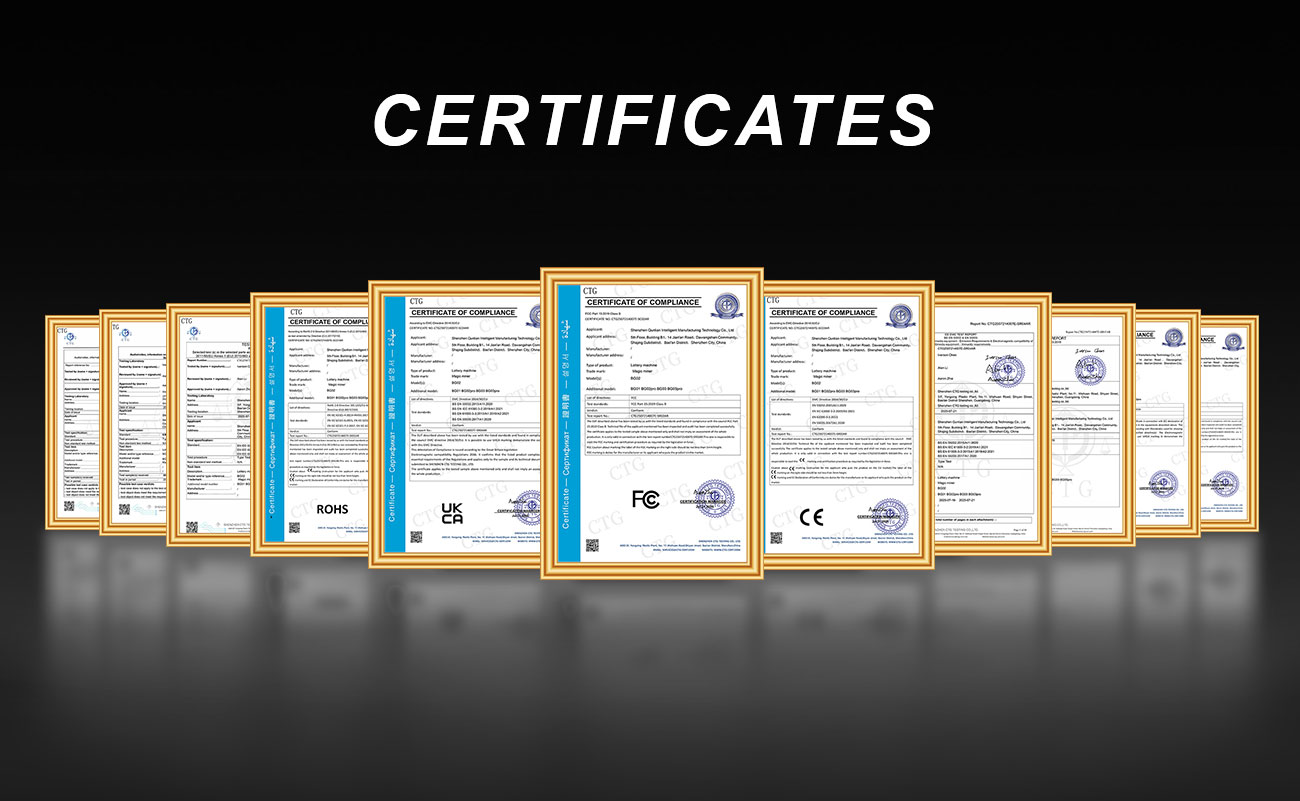
Certifications
Which safety certifications does WM02 Pro hold?
Complies with EU Low Voltage Directive (LVD 2014/35/EU) and EMC Directive (2014/30/EU). Packaging follows UK waste regulations.
MO01 Market Data Terminal (All-in-One Desktop Device)MO01
+
Integrated Functions & Hardware
What features does MO01 offer?
Displays real-time quotes for crypto, A-shares, Hong Kong stocks, US stocks. Built-in Bluetooth speaker, 3-in-1 wireless charging (phone/earphones/watch), alarm clock, timekeeping. Supports touch + web management, dual-band WiFi (2.4G & 5G) and Bluetooth pairing.
What is included in the MO01 package?
Terminal main unit x1, power adapter x1, user manual x1. Anti-slip bottom design, DC 5.5x2.1 power interface.
NerdMiner USB (LV03 USB Standalone Setup)NerdMiner USB / LV03 USB
+
First-time Configuration
How to configure NerdMiner USB?
Power via USB port, wait 3-5 seconds for screen to light. Search WiFi hotspot 'NerdMinerAP', password: MineYourCoins. Auto-redirect to config page (192.168.4.1), click 'Configure WiFi', wait for network list. Enter pool address (e.g., pool.vkbit.com), port 3333, wallet address. Save → auto-restart → mining starts.
How to view real-time hashrate?
Visit pool website (e.g., https://www.vkbit.com), enter wallet address to see hashrate, best share, online status. Rear button: long press 6 seconds to reset.
Compatible Mining Pools
Which pools work with NerdMiner USB?
Pool.vkbit.com:3333 (direct), Public-pool.io:21496, pool.tazmining.ch:3333, solo.ckpool.org:3333, btc.zsolo.bid:6057, btc.luckymonster.pro:7112, etc. Some pools may not support direct connection; consult official list.
Ordering, Logistics & After-Sales PolicyAll series
+
Purchasing & Payment
How to buy Magicminer / Luckyminer? Small order MOQ?
For small orders, purchase from official stores on AliExpress, Amazon, eBay or local authorized dealers. Bulk orders: contact sales directly via WhatsApp +852-56140308. Sample quantity 1-10 units before bulk order. OEM/ODM MOQ: 500 pcs.
Supported payment methods? Shipping time?
We currently support bank transfer and cryptocurrency. For small orders, we ship via DHL, UPS, FedEx, or TNT. Under normal conditions, delivery typically takes 5-7 business days. However, delivery times may vary due to objective factors such as customs clearance, weather, or carrier delays. Shipping costs may also fluctuate depending on urgency (e.g., expedited vs. economy services). During the purchasing process, please consult our online customer service for real-time shipping options, updated lead times, and the most suitable freight solution.
Warranty & Technical Support
Warranty period for different models?
LV/LG series: 6 months; LV02: 1-year limited warranty; WM02 Pro: 12 months; MO01 according to sales policy. Warranty void if device is disassembled, unofficial firmware, water damage, or third-party adapter use.
How to get activation code or after-sales help?
Please contact our online customer service on the official website with your order number to obtain the activation code. 24/7 support via website, WeChat, phone, email: business@magicminer.cc, WhatsApp +852-56140308.
Maintenance, Legal Compliance & DisclaimerGeneral terms
+
Regular Maintenance & Cooling
How to clean the miner and check cooling?
Every 2-4 weeks use soft brush or low-pressure compressed air to clean vents and fan (more often in dusty environments). Always disconnect power before cleaning. If fan makes abnormal noise or stops, stop using and contact support.
Long-term storage guidelines
Store in dry, temperature-controlled environment (storage temp -20°C to 70°C, humidity 10%~90% non-condensing). Before reuse, inspect power cord and antenna connection.
Legal Compliance & Earnings Disclaimer
Is cryptocurrency mining legal in my region?
Users must ensure compliance with local laws and regulations regarding crypto mining and network usage. Manufacturer is not liable for any legal consequences due to non-compliance.
Does the manufacturer guarantee mining profits?
Mining rewards are subject to market fluctuations, network difficulty and pool performance. Manufacturer does not guarantee specific yields or profits. Pool accessibility issues due to regional restrictions are not covered.
Official Community & Manual Updates
Is there an official user community for firmware updates?
Yes. Join the official Magicminer / Luckyminer community (global and regional groups). Technical specifications and compatible projects are subject to change without prior notice; latest updates posted on official channels.
Advanced Troubleshooting & Log DiagnosticsLV06 / LV07 / LV08 / LG07 Pro
+
Zero Hashrate Deep Dive
Parameters correct but hashrate remains 0
Control IC may not have started: press reset button 1-3 times while powered on. Pool difficulty too high: for 500G devices select port with difficulty <1000. Some pools require registered username as Stratum User. Test with recommended pools first.
Adapter indicator off or blinking
Replace with identical specification adapter (12V/5A or 5V/6A depending on model). Measure output voltage; if not within ±10% of nominal value, replace adapter. If issue persists, return for repair.
WiFi Connected but Constant Reboots
Miner reboots every few minutes despite WiFi connection
WiFi congestion or instability – switch to a stable 2.4GHz channel or use mobile hotspot. Some ISPs block pool resolution; change to a locally allowed pool or well-known pool, or use a VPN if legally permitted.
Attachment download
Reviews (2)

2 reviews for Lucky Miner LV08pro

  1. Kelly Simon

    I live in a shared apartment with two roommates. I wanted to mine Bitcoin but was worried about noise and heat.
    The LV08 Pro is quiet – 38 dBA is real. I put it in my room, and no one complains. Power is 150W, so my share of the electricity bill went up maybe $10 a month. Setup took 10 minutes. I’m using PPS mode for consistent payouts.

    • Magicminer

      Magicminer

      Glad your roommates think it’s cool. Thanks for the real feedback.

  2. Arlene Hansen

    I don’t have time to mess with complicated tech. I just wanted something that works.
    The LV08 Pro has been running 24/7 for a month. No crashes. No overheating. No weird noises. I keep it in the garage. 150W is low enough that I don’t worry about the electricity bill. 7 TH/s is fine for a hobby. I’m mining BTC on a PPLNS pool. Setup was easy – WiFi connected on the first try.

    • Magicminer

      Magicminer

      Appreciate the trust from a busy dad. Thanks for the honest review.

Add a review