
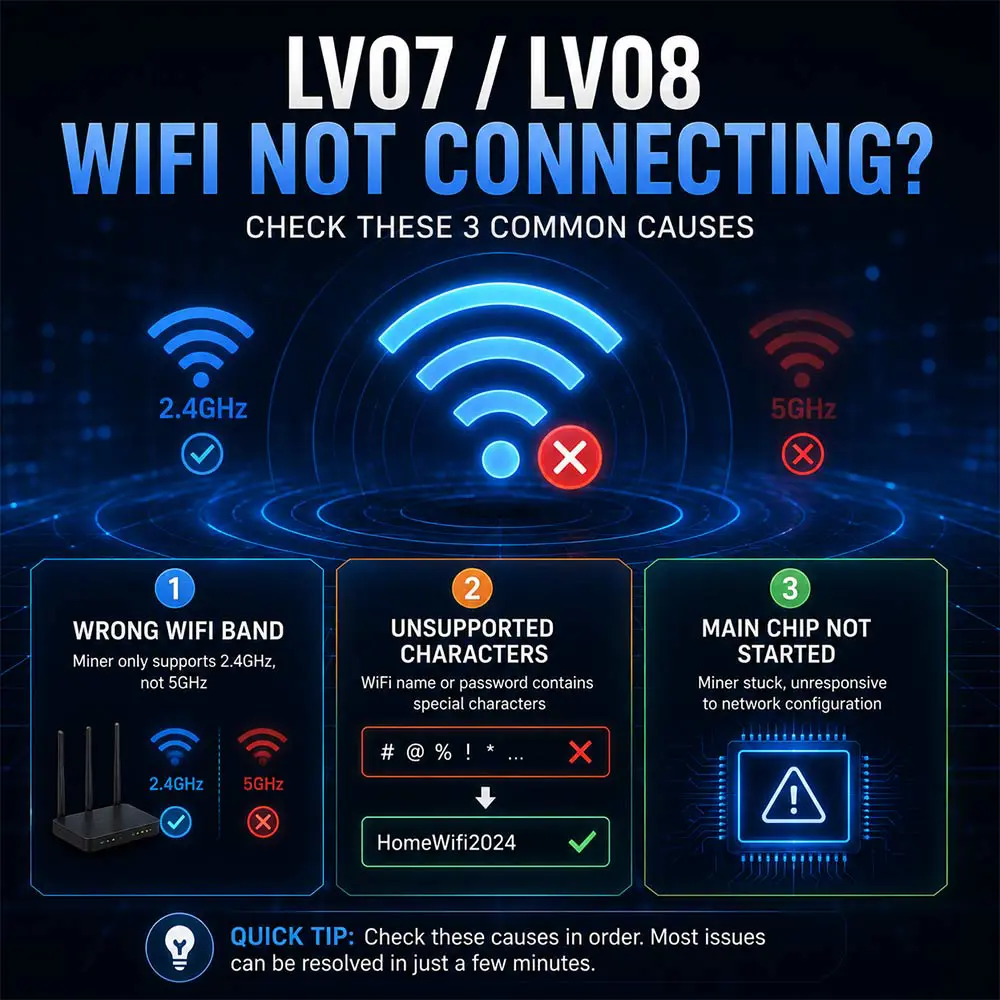
Lucky Miner LV07 / LV08 WiFi Not Connecting? 3 Common Fixes
The Lucky Miner LV07 and LV08 are home-friendly mining devices designed with simple 2.4G WiFi setup. However, some users encounter WiFi connection failures during initial configuration.
This does not necessarily indicate a hardware defect. In most cases, WiFi connection failures stem from a mismatch between your home network environment and the miner’s settings. The following three causes cover the vast majority of WiFi connection issues. Check them in order from most to least likely.
CAUSE 1: THE MINER DOES NOT SUPPORT 5GHZ, BUT YOUR ROUTER IS SET TO DUAL-BAND
The Lucky Miner LV07 and LV08 only support 2.4GHz WiFi. They do not support 5GHz.
Many home routers default to “Smart Connect” or “Dual-Band” mode, which broadcasts both 2.4GHz and 5GHz under a single network name (SSID). Phones and computers automatically connect to the faster 5GHz band, but the miner cannot detect 5GHz signals, causing connection failure.
How to Check:
Open your phone’s WiFi settings and look at your home network name. If you only see one network name, your router is likely using Smart Connect mode.
How to Fix:
Log into your router’s management interface and disable “Smart Connect” or “Dual-Band” mode. This forces the router to broadcast separate network names for 2.4GHz and 5GHz. Connect your miner to the network without the “5G” suffix.
If you cannot change your router settings, temporarily create a 2.4GHz mobile hotspot with your phone, connect the miner to the hotspot for initial configuration, then switch back to your home WiFi.
CAUSE 2: YOUR WIFI NAME OR PASSWORD CONTAINS SPECIAL CHARACTERS THE MINER CANNOT RECOGNIZE
The Lucky Miner’s WiFi module supports a limited character set: English letters, numbers, hyphens (-), and underscores (_).
If your WiFi name or password contains Chinese characters, spaces, emojis, or other special symbols (such as #, @, %), the miner may fail to parse the credentials and cannot connect.
How to Check:
Review your WiFi name and password for any characters outside the supported set.
How to Fix:
Temporarily change your WiFi name and password to a simple combination of English letters and numbers, such as “HomeWifi2024”. Once the miner connects successfully, you can adjust as needed.
If you prefer to keep a complex password, set up a separate guest network with a simple password specifically for your miner.
CAUSE 3: THE MAIN CONTROL CHIP HAS NOT STARTED NORMALLY, LEAVING THE MINER IN A “STUCK” STATE
If you have confirmed the frequency band and password are correct, but the miner still cannot connect to WiFi, the main control chip may not have started properly.
The main control chip handles network connectivity, data processing, and core operations. If this chip fails to initialize, the miner may enter a “stuck” state—power light on, fan spinning, but WiFi functionality completely unresponsive.
Typical Symptoms:
The miner’s screen shows a WiFi hotspot name, but your phone cannot find it.
The screen is blank, but the fan is running.
The miner does not respond to any network configuration attempts.
How to Fix:
While the miner is powered on, press the reset button on the back of the device 1 to 3 times (not a long press) to reinitialize the main control chip.
If the reset does not work, perform a full power cycle: unplug the power adapter, wait 30 seconds, then plug it back in. This clears any temporary state and returns the miner to configuration mode.
APPENDIX: QUICK TROUBLESHOOTING TABLE
| Check Order | Check Item | Common Cause | Solution |
|---|---|---|---|
| Step 1 | WiFi Band | Miner only supports 2.4GHz, router uses Smart Connect | Disable Smart Connect, connect miner to 2.4GHz band |
| Step 2 | WiFi Name and Password | Contains Chinese characters, spaces, or special symbols | Change to English letters and numbers only, or set up a separate guest network |
| Step 3 | Main Control Chip | Chip failed to start, miner unresponsive | Press reset button 1-3 times, or power cycle completely |
| Additional Check | Signal Strength | Miner too far from router, weak signal | Move miner closer to router or use a signal extender |
| Additional Check | Compatibility Test | Router settings incompatible with miner | Create a 2.4GHz mobile hotspot for cross-testing |
WiFi connection failures on the Lucky Miner LV07 and LV08 are typically caused by one of three issues: frequency band mismatch, passwords containing unsupported characters, or the main control chip not starting properly.
After checking each of these in order, most connection issues can be resolved within a few minutes.