
Magicminer BG02 User Manual – 7TH/s Solo Miner Setup Guide
Product Model: Magicminer BG02 (Silver Edition) | Release Date: 2025
Welcome to the official Magicminer BG02 user manual center. This page provides the essential technical overview, hardware specifications, and key operational settings for your Silver Edition SHA-256 home miner. For complete safety information and detailed troubleshooting, please download the full PDF manual at the bottom of this page.
1. Product Overview: The Silver Edition Home Miner
The Magicminer BG02 is a compact, energy-efficient SHA-256 ASIC miner designed for home users, beginners, and desktop mining enthusiasts. It delivers a stable 7.0 TH/s hashrate with low power consumption (approximately 160W), making it perfect for 24/7 operation in home, office, or rack environments.
This device supports SOLO and Pool mining modes for Bitcoin (BTC), Bitcoin Cash (BCH), and over 40 other SHA-256-based cryptocurrencies.
To explore more about the philosophy behind this device, you can visit our Magicminer official website for the latest updates.
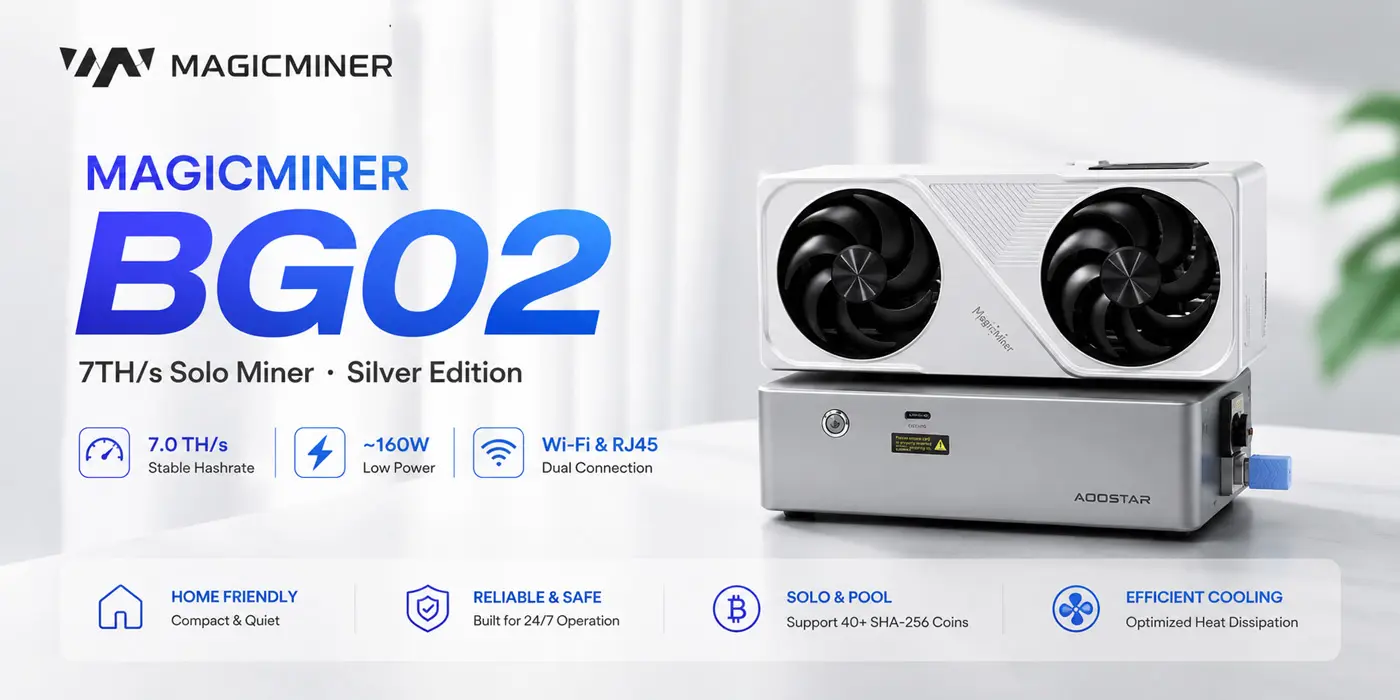
2. Key Technical Specifications
Understanding the core capabilities of your BG02 is essential for optimal performance. Below is the summary of the core parameters:
| Parameter | Value |
|---|---|
| Crypto Algorithm | SHA-256 (BTC, BCH, BSV, etc.) |
| Rated Hashrate | 7.0 TH/s (±5%) |
| Power Consumption | Approximately 160W (±10%) |
| Connectivity | 2.4G Wi-Fi & RJ45 Ethernet |
| Interface | PCIe x16 + Flex Cable (8pin [3+5]) |
| Dimensions & Weight | 263 x 108 x 50 mm, 1.85 kg (Net) |
For a deeper dive into the power supply and network specifications, please refer to our Home Miner Setup Guides section.
3. Installation & Connection Guide
The BG02 features a straightforward plug-and-play design. Here are the key steps to get your device up and running:
Physical Setup:
- Power Off: Power off the host and wait until energy is fully dissipated.
- Insertion: Securely insert the main device into the PCIe slot.
- Power Infusion: Connect the power source, ensuring at least 1300W of stable supply.
Network Connection:
- Via Ethernet (RJ45): Plug the cable into the connector at the back of the host.
- Via Wi-Fi: Enter the system interface, select the Wi-Fi network, and enter the key to connect.
If you are unfamiliar with pool settings, we recommend reading our detailed guide: What is Solo Mining vs Pool Mining?
4. Troubleshooting & Maintenance
To ensure the long-term stability and performance of your Magicminer BG02, we recommend the following practices:
- Thermal Management: Maintain ambient temperature below 35°C and ensure proper airflow around the device.
- Energy Stability: Use high-quality power sources to prevent voltage surges.
- Dust Purification: Regularly clean fans and heatsinks to prevent overheating.
5. Download the Full User Manual (PDF)
This page covers the core highlights. For comprehensive safety warnings, warranty policy, and detailed troubleshooting (including our unique “Extinguishing Curses” section), please download the complete user manual in PDF format below.
Download BG02 User Manual (PDF)
Note: This manual features a unique storytelling approach, with “Aelt the Sage of Fire” guiding you through the setup process.
6. Purchase the Magicminer BG02
If you haven’t acquired this device yet, the Magicminer BG02 is the perfect entry-level home miner for any Bitcoin enthusiast looking for a balance of power and efficiency. Click below to explore the product page and get yours today.